
首次使用QUICK START
开始使用Set up your WhisPrompt.
准备好主机、随箱 Dongle、USB-C 线和电脑。按下面的顺序完成第一次连接。Have your device, supplied Dongle, a USB-C cable, and computer ready. Follow the steps below for your first connection.
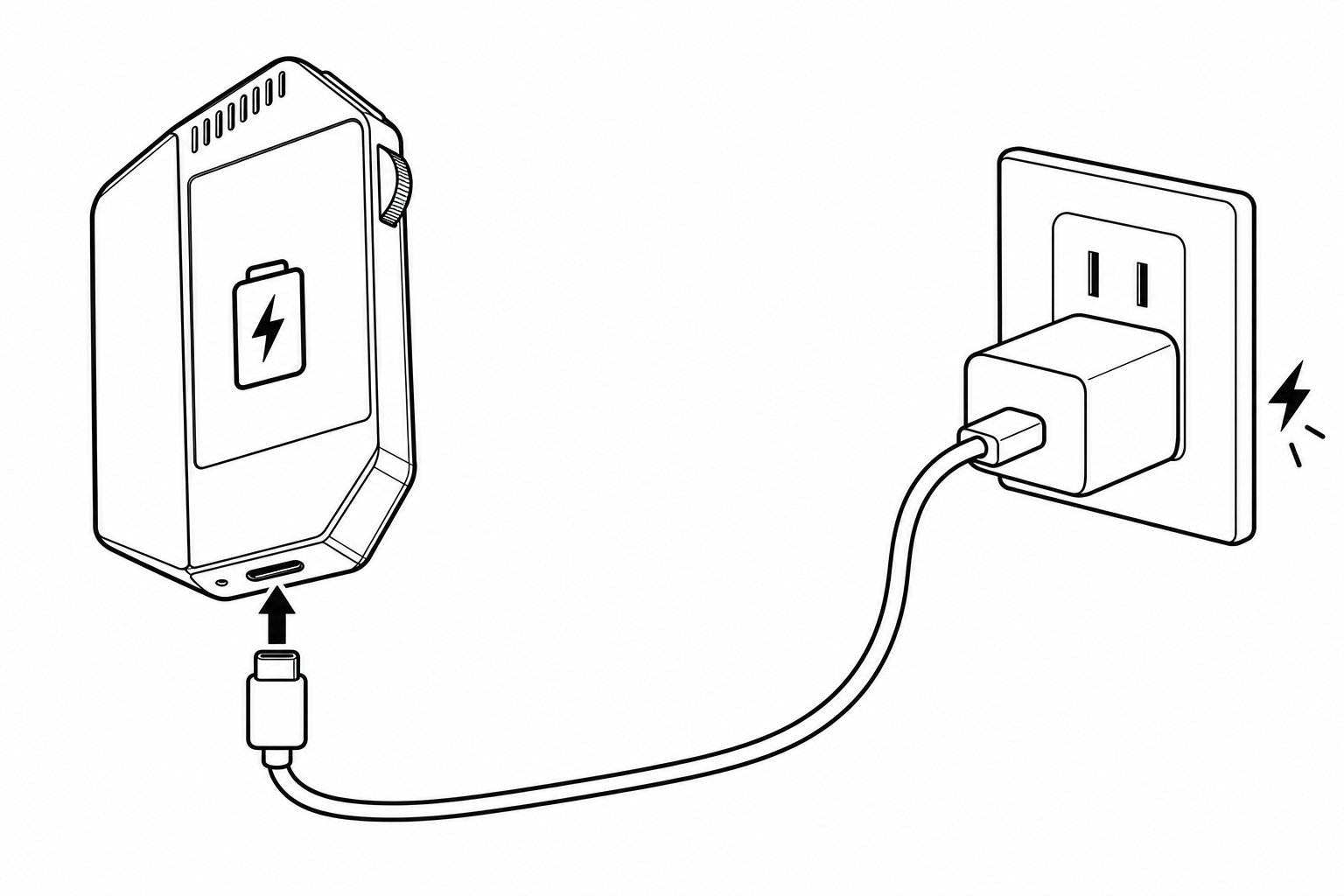
通过 USB-C 插电激活Connect to power via USB-C
首次使用前,用 USB-C 线为 WhisPrompt 主机接通电源,完成激活。主机额定充电输入为 DC 5V ⎓ 1A。Before first use, connect the WhisPrompt device to power with a USB-C cable to activate it. Rated charging input: DC 5V ⎓ 1A.
先完成这一步,再进行客户端配置。Complete this step before setting up the app.
将 Dongle 插入电脑Plug the Dongle into your computer
将随箱 Dongle 插入电脑上支持数据传输的 USB-C 接口,并在配置和使用时保持连接。Plug the supplied Dongle into a data-capable USB-C port on your computer. Keep it connected during setup and use.
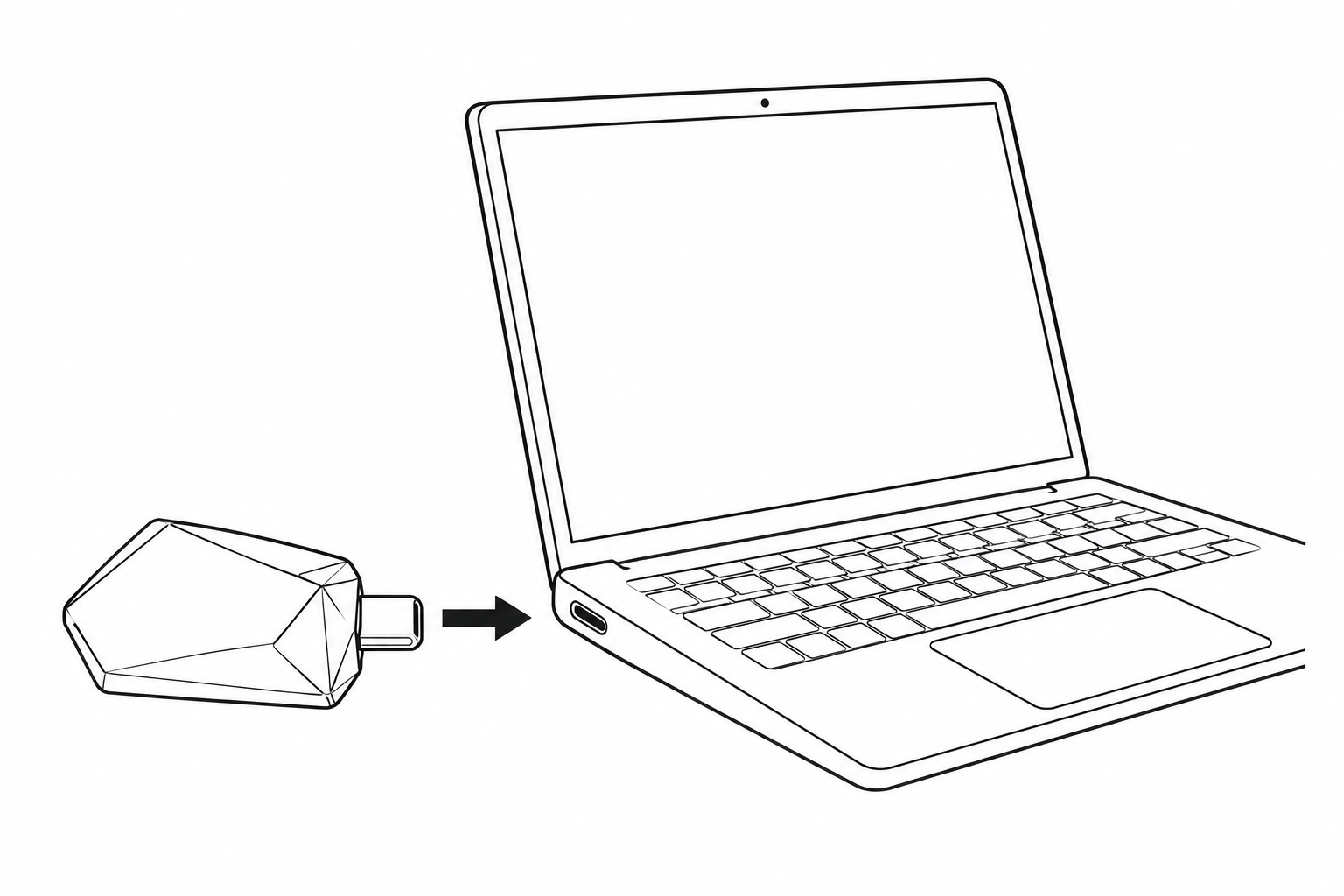
Dongle 是连接主机与电脑的接收器。The Dongle is the receiver that connects your device to your computer.
安装并配置客户端Install and set up the app
前往下载页,选择对应电脑系统的客户端。安装并打开后,登录账号,按界面提示完成权限和设备配置。Go to Downloads and choose the app for your computer. Install and open it, sign in, then follow the on-screen instructions for permissions and device setup.
前往下载页Go to Downloads试一次语音输入Try your first voice input
在电脑上点击一个可输入文字的输入框。按客户端提示开始语音输入,说一句短话,结束后查看输入结果。Click a text field on your computer. Follow the app instructions to start voice input, say a short sentence, then finish and check the result.
具体按键和操作方式以客户端当前配置为准。Button assignments and input controls follow your current app configuration.
文档DOCUMENTATION
WhisPrompt 中文说明书WhisPrompt Chinese manual
28 页中文说明书,包含首次连接示意图、基本操作、产品参数与一年保修说明。A 28-page Chinese user manual with setup diagrams, basic controls, product specifications, and one-year warranty information.
暂时无法获取电子说明书,请稍后重试,或先阅读首次使用指南。The manual is currently unavailable. Please try again later or read the quick start guide.